
Starting from the second floor, you’ll find empty apartments along the sides of the level. These buildings are important because repairing them gives you a new source of cash income once fixed.
To fix an apartment, clear the surrounding debris, and then bring one of your workers to its entrance. Similar to clearing obstacles, you’ll see a timer and circular progress bar showing how long the repair will take. When the bar fills up, tap Rent to complete the repair and start generating income.
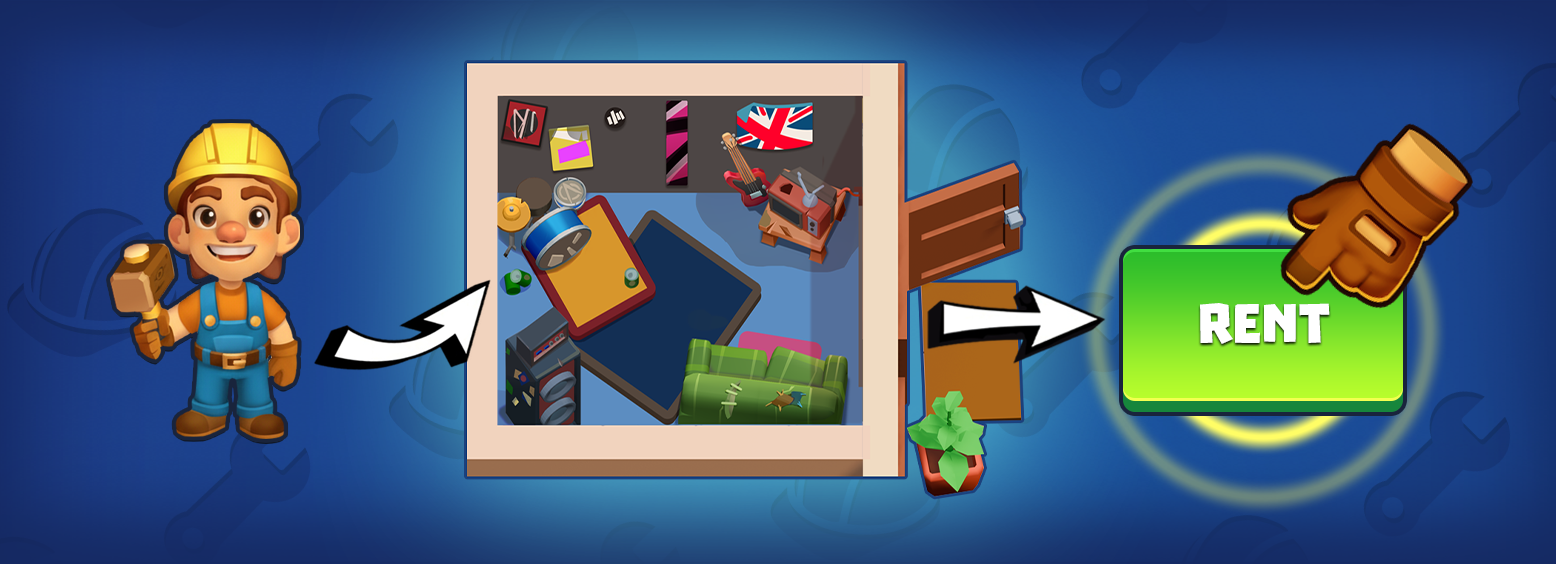
Once an apartment is repaired, it begins to produce cash automatically, much like the workbench does. Each apartment generates a specific type of income with its own earning rate. Apartments differ in speed, upgrade cost, and profit growth per level — so some might earn more at lower levels while others scale better later.
To improve an apartment’s profitability, tap the green button at the bottom of its panel to upgrade it. If the button is greyed out, you don’t have enough cash to upgrade right now.
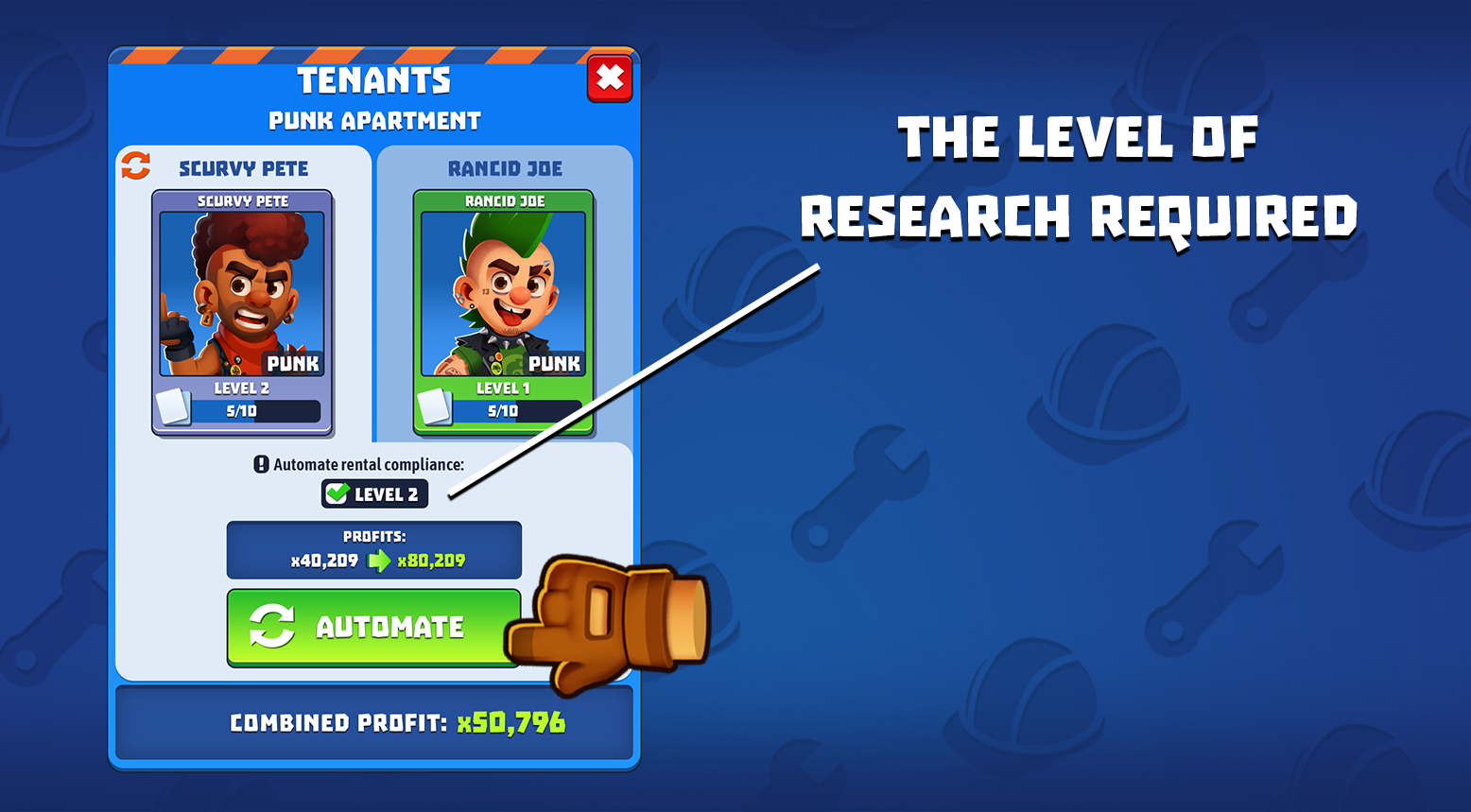
Some buildings require manual collection of their income: watch the progress and tap to collect when payouts are ready. You can automate this process by hiring tenants using cards once you meet the requirements. Tap the automation button on the apartment to view what is needed — the type of cards and the level of research needed to unlock the manager.
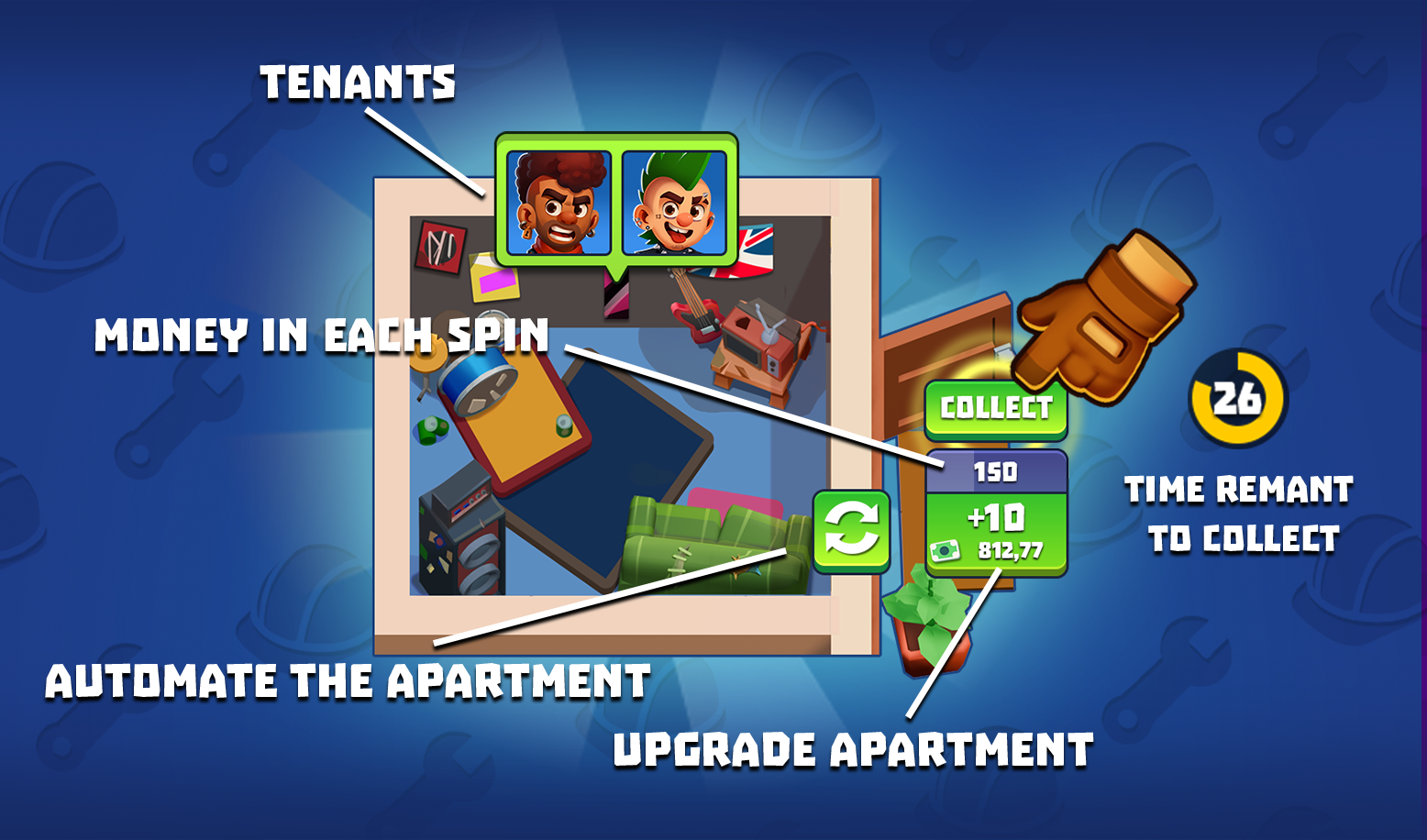
Even if you don’t yet have enough cards to automate an apartment, you can still level it up to increase its profit output.
Remember: you need to activate every apartment on the floor to complete the level and reach the elevator.